
Cloud Backup for Microsoft 365 &
Entra ID
Microsoft handles the infrastructure — but you’re responsible for the data. Syncro Cloud Backup delivers complete protection for your entire Microsoft 365 ecosystem and Entra ID infrastructure.
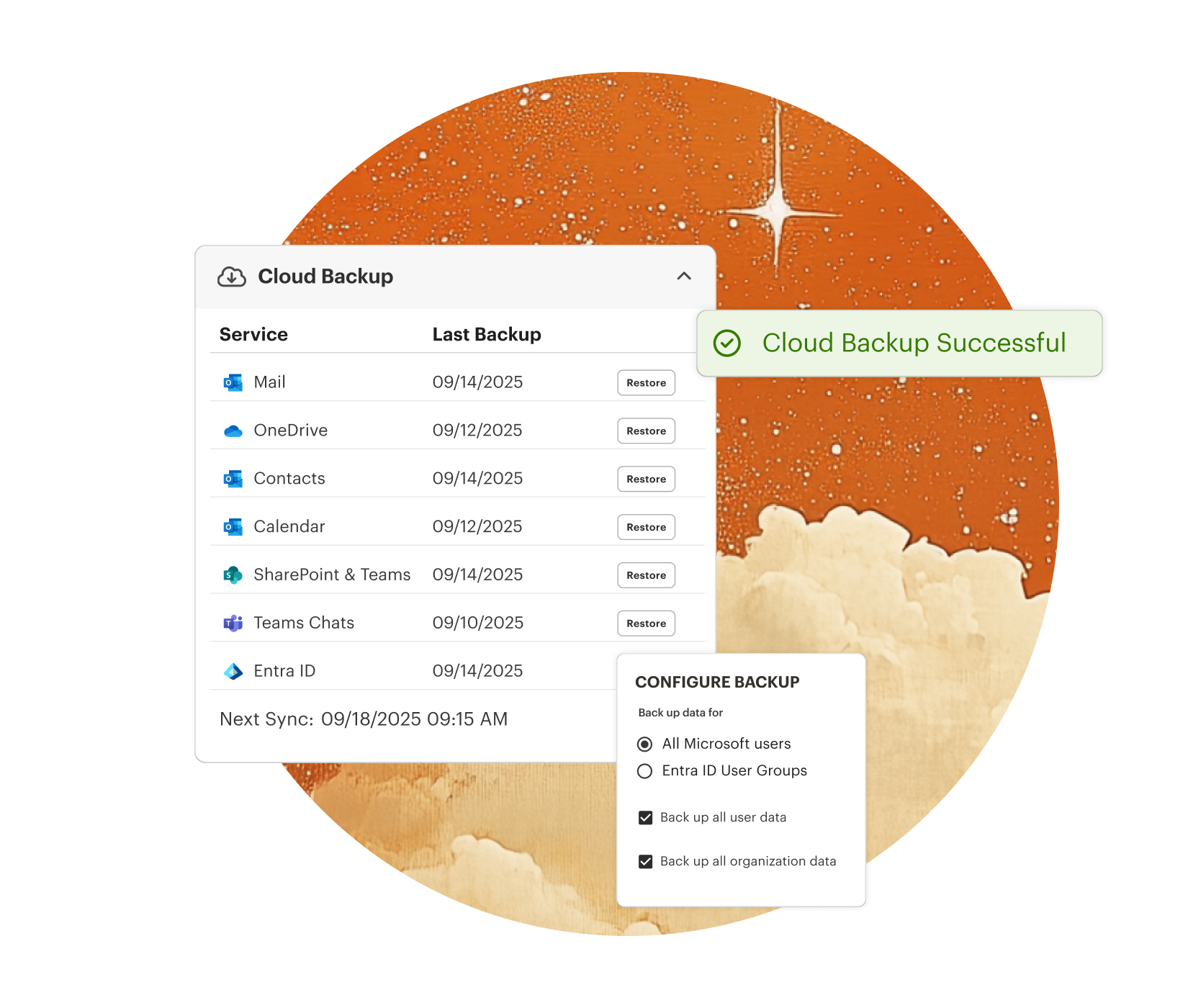

Protect Your Identity Infrastructure
If your Entra ID is compromised or misconfigured, your users can’t log in. Syncro backs up users, groups, roles, policies, permissions and more to ensure your ecosystem remains intact.

Independent Data Protection
Don’t mistake uptime for data protection. Syncro provides the secondary, independent copy required to support compliance standards and mitigate the risk of permanent data loss.

Recovery from Ransomware
By storing backups separate from the tenant, Syncro prevents malware or unauthorized users from encrypting or deleting your recovery points, allowing you to roll back to a clean state.
Secure. Resilient. Unlimited.
Don’t leave your organization’s continuity to chance. Syncro provides a specialized backup engine designed to safeguard every corner of your Microsoft 365 ecosystem.
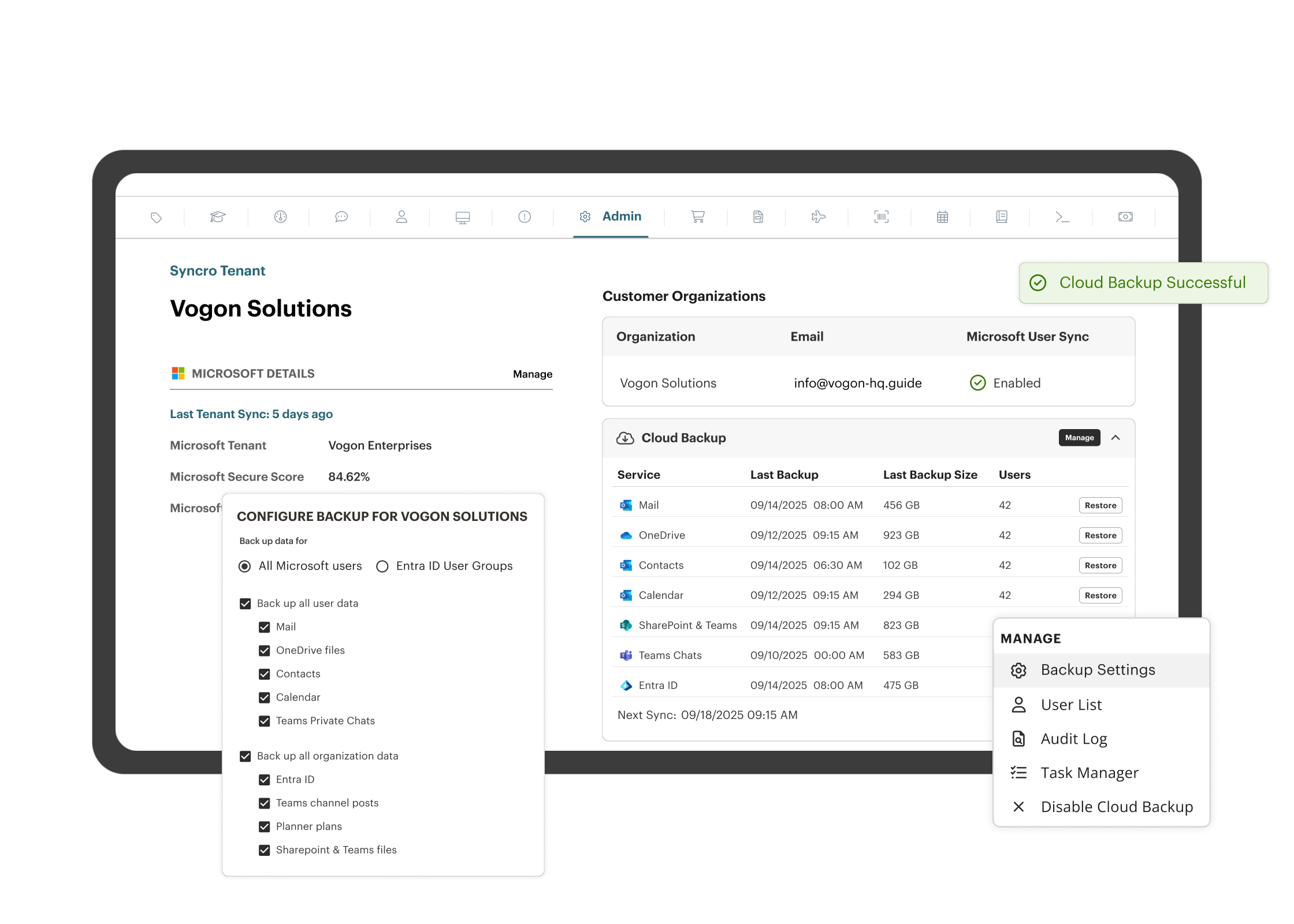
Safeguard Critical Assets & Identity Infrastructure
Protect Exchange, SharePoint, OneDrive, Teams, OneNote, Planner, and Lists, and Entra ID Users, Groups, Roles, and Policies automatically. Our comprehensive, multi-tenant-ready coverage ensures you can activate critical protection for all users.
Restore in Minutes
Minimize downtime and ensure business continuity with rapid restore capabilities. Files, emails, calendars, identities, policies or entire libraries are all recoverable in just a few clicks.
Unlimited Storage
Our flat, per-user monthly fee includes unlimited storage under a fair-use policy, eliminating complex calculations and hidden costs.
Automated Daily Sweeps
Set it and forget it. Syncro performs automatic, silent backups each day, ensuring your recovery points are always fresh.

Restore Identity, Not Just Data
True recovery means restoring the “logic” of your organization. Syncro backs up Entra ID users, groups, and security roles so your team can actually log in and access their files once they are recovered.

True Data Sovereignty
Microsoft’s recycle bin isn’t a backup strategy. Protect your environment with a decoupled, independent copy that remains secure against internal threats, accidental deletion, or native limits.

Close the Gap
Automatically enforce your retention and compliance policies with an automated engine that provides verifiable proof of resilience to your leadership team.
Restore Identity, Not Just Data
True recovery means restoring the “logic” of your organization. Syncro backs up Entra ID users, groups, and security roles so your team can actually log in and access their files once they are recovered.
True Data Sovereignty
Microsoft’s recycle bin isn’t a backup strategy. Protect your environment with a decoupled, independent copy that remains secure against internal threats, accidental deletion, or native limits.
Close the Gap
Automatically enforce your retention and compliance policies with an automated engine that provides verifiable proof of resilience to your leadership team.

“Syncro’s automation features are where it truly shines. From recurring invoicing and policy-based automation to integrated backup and AV management, everything is built with time savings in mind.”
— Ben M., President & CEO

Why Microsoft 365 Backup Is Essential for Every Business
Microsoft 365 backup protects against data loss, ransomware, and compliance gaps. Learn why retention isn’t enough and what to look for in a solution.

Microsoft Teams Backup: Complete Guide for MSPs, IT Leaders, and Compliance
Protect Teams chats, files, and channels with reliable Microsoft Teams backup. Learn risks of native tools and how IT departments ensure compliance and continuity.
Syncro Cloud Backup: Your Last Line of Defense for M365 & EntraID
Protect M365 and Entra ID with automated, built-in backup that simplifies billing and drives recurring revenue.
Frequently Asked Questions
Microsoft operates under a Shared Responsibility Model. They guarantee the availability of the service, but the protection and retention of the data itself is your responsibility. Syncro provides the third-party backup needed to ensure long-term data survival.
Most backup tools only save files. If a user or group is accidentally deleted in Entra ID, you lose the permissions of your organization. Syncro allows you to restore those objects specifically.
Syncro performs multiple automated backups daily. You can check last backup status for any workload directly from your dashboard to ensure total coverage.
Yes. All data is encrypted using AES-256 bit encryption in transit and at rest. We utilize secure, geographically redundant data centers to ensure your backups are always available.
Yes. Syncro’s flexible restoration engine allows you to restore data to its original location or to a different user/site, which is incredibly helpful during employee offboarding or departmental transitions.
Absolutely. We back up Teams chats, channel conversations, and files, ensuring your collaboration history is just as protected as your email.
Syncro offers flexible retention policies that allow you to meet your organization’s specific compliance or legal requirements, whether that’s one year or infinite retention.
During setup, you can select your preferred storage region (currently in the U.S., Canada, UK, EU, and Australia) to align with your organization’s compliance or data residency requirements.
Yes, and we never prune your data. Syncro provides unlimited cloud storage for Microsoft 365 backups, so you can protect your data without tracking storage limits or paying overage fees. Storage scales with your organization’s backup needs under our fair-use policy.

Start Your Free Trial with Syncro Today
Gain instant access. Go live in just a few clicks and master core features with guided onboarding. No heavy setup required.

Start Your Free Trial with Syncro Today
Gain instant access. Go live in just a few clicks and master core features with guided onboarding. No heavy setup required.