
Help Desk and Ticketing That Resolves Issues 30% Faster
Syncro combines a full help desk with integrated IT ticketing, live device context, and automated triage so your team gets more done every day without digging for answers.
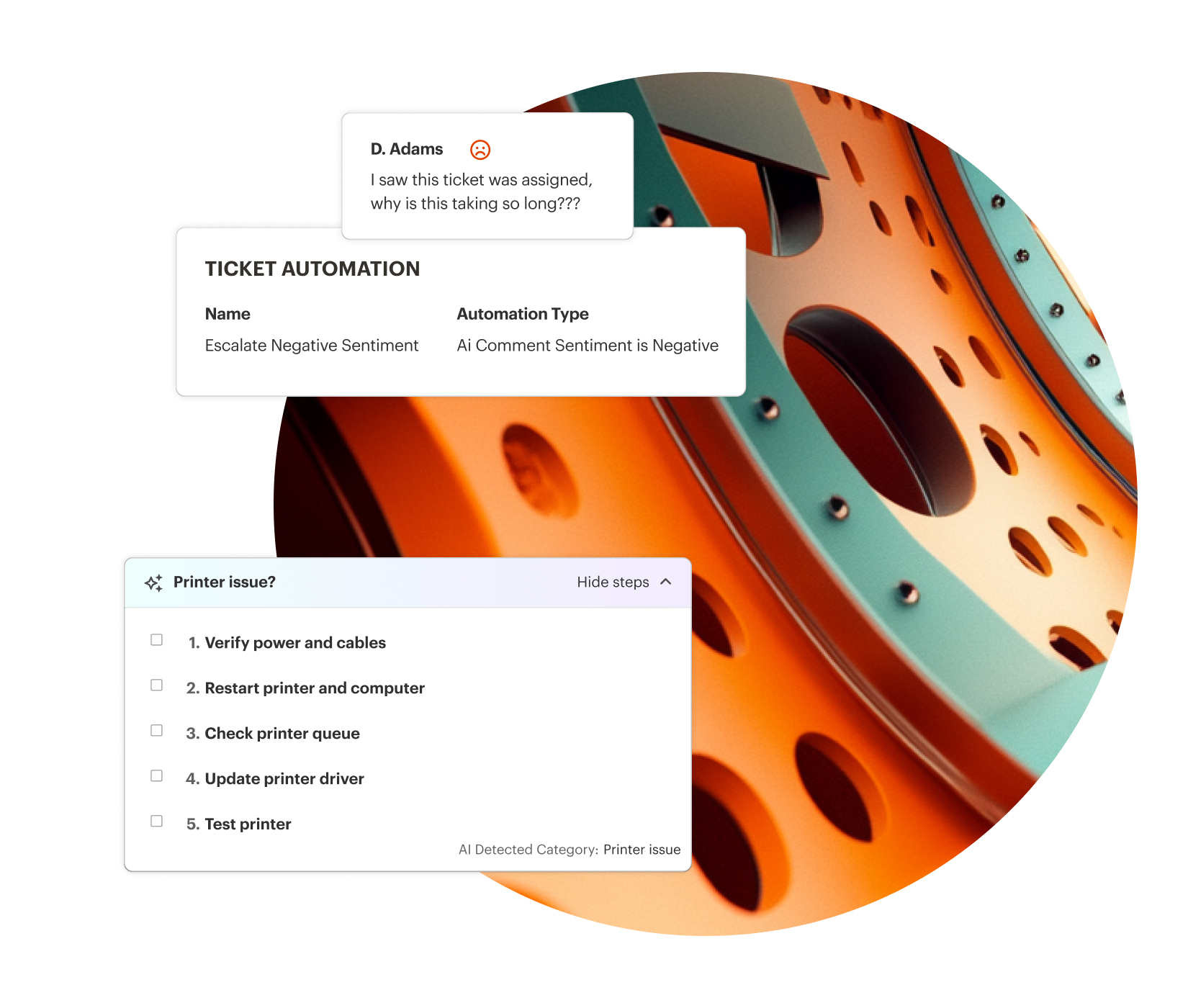

Context in Every Ticket
Every ticket links to its device, alerts, and history, with AI summaries and automated routing for fast resolution. No time wasted sifting through notes.

Resolve Without Switching Tools
Launch a remote session, run a remediation script, or check diagnostics directly from the ticket. No portal hopping required.

Remove Manual Work
Map known issues to automated resolutions, and automatically assign tickets to the right techs. Reduce manual labor and reclaim valuable time on every ticket.
Every Ticket. Complete Context. No Manual Digging.
Device telemetry, ticket history, and an AI-generated summary surface directly inside every ticket. Technicians get current in seconds instead of piecing the story together across screens. The result shows up in the metric that matters: Orchestrate Technologies cut ticket handling time by 43% after moving to Syncro, across a 12-technician operation.
AI Ticket Summaries
Complex tickets open with the issue, history, and current state assembled. Nobody starts by reading backwards through a month-old thread.
Automated Ticket Triage & Dispatch
Every new ticket is scored on type, urgency, impact, and priority, then matched to the best-fit technician in one click.
Guided Ticket Resolution
Open Beta
Known issues are mapped to approved solutions, which can be approved by your team or executed automatically by Syncro.
Integrated Remote Access & Scripting
Start a remote session or run a script directly from the ticket. No tool-switching, no losing your place.
Branded Self-Service Portal
Give users a branded home to submit requests, track status, and find answers on their own.
Automated Status Communication
Status triggers and templates keep requesters informed automatically, with every email and internal note in one thread.

Prove Your Value With Data
Report on SLA attainment, ticket volume trends, and resolution times, so leadership sees impact in numbers instead of anecdotes.

Preserve Knowledge
Every interaction and resolution lives in one searchable history, so new techs ramp faster and standards hold.

Run the Queue From Anywhere
Manage tickets, update requesters, and monitor alerts from a full-featured mobile app, or from your AI tool through the Syncro MCP Server.

“Ticket automation is one of my favorite tools… Syncro really helps us get work done faster.”
— Ronda Tappan, Owner, Tappan Solutions (11 technicians)
SYNCRO RESOURCES

What Are AI Ticket Summaries? How Syncro Is Changing MSP Service Delivery
Syncro AI Ticket Summaries help MSPs save time, protect institutional knowledge & streamline escalations with AI-powered, real-time ticket insights.

Choosing the Right IT Ticketing System to Strengthen Service Operations
Compare the 10 best IT ticketing systems for IT teams in 2026. Side-by-side features, AI capabilities, pricing, and G2 ratings to help you pick the right platform.
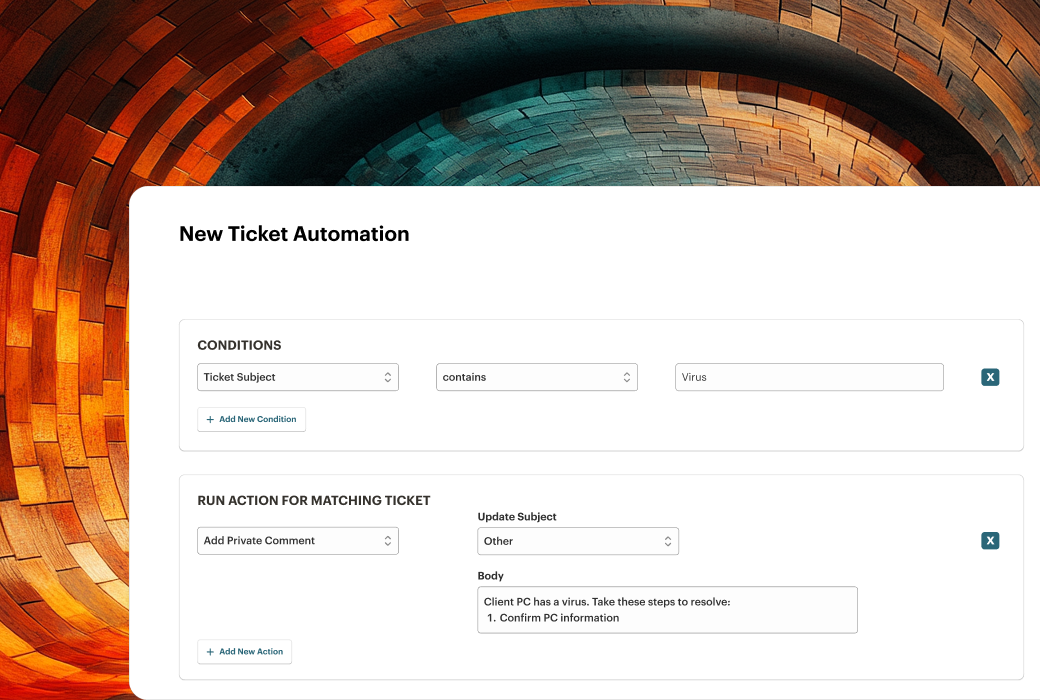
How to Set Up Ticket Workflow to Reduce Resolution Time
Reduce IT ticket resolution time with smarter workflow design. Learn how to automate triage, minimize shadow work, and streamline help desk operations.
Frequently Asked Questions
Help desk software is the complete support operation: tickets, a self-service portal, SLAs, and reporting. A ticketing system is the core of that, tracking and routing individual requests. Syncro includes both in one platform, so there’s no second tool to buy or learn.
A centralized way to capture, prioritize, and resolve requests and alerts. Syncro links every ticket directly to its device and asset data, so technicians have full context without switching tools.
Yes. Automated Ticket Triage & Dispatch scores every incoming ticket on type, urgency, impact, and priority, then recommends the best-fit technician based on history and workload.
They assemble the issue, history, and current status of a ticket automatically. More than 1,000 Syncro Partners use them today, and Partners report saving up to 15 minutes per ticket.
Yes. Ticketing and endpoint management are one platform, so your team can launch remote sessions, run scripts, or view diagnostics directly from the ticket.
Yes. Syncro includes a branded, customizable portal for submitting requests, tracking status, and self-service resources.
Yes. Import tools and API access bring your legacy ticket data over, so you keep your historical record.
Yes. Define custom SLA targets for response and resolution with automated alerts, and report on volume, attainment, and resolution times.
You choose. Triage and Dispatch each have an independent setting (off, suggest, or assign) so you can review every recommendation with one click or let it apply automatically, set separately for prioritization and assignment.
Yes. Dispatch checks each technician’s connected Outlook or Google Calendar and current workload before recommending an assignment, so tickets don’t land on someone who’s out of office or already buried.
Fixed rules need manual updates as your team and workload change. Automated Triage & Dispatch reads live technician workload, calendar availability, and skill history the moment a ticket lands, and gets smarter as your team confirms or overrides its suggestions.
Yes. Syncro syncs users directly from Entra ID, so your help desk always reflects your current directory.

Start Your Free Trial with Syncro Today
Gain instant access. Go live in just a few clicks and master core features with guided onboarding. No heavy setup required.

Start Your Free Trial with Syncro Today
Gain instant access. Go live in just a few clicks and master core features with guided onboarding. No heavy setup required.